Windows: click the Photoshop window and press Win + Alt + R. The Xbox Game Bar records it. Press the same keys to stop.
Mac: press Shift + Command + 5 and choose a record option.
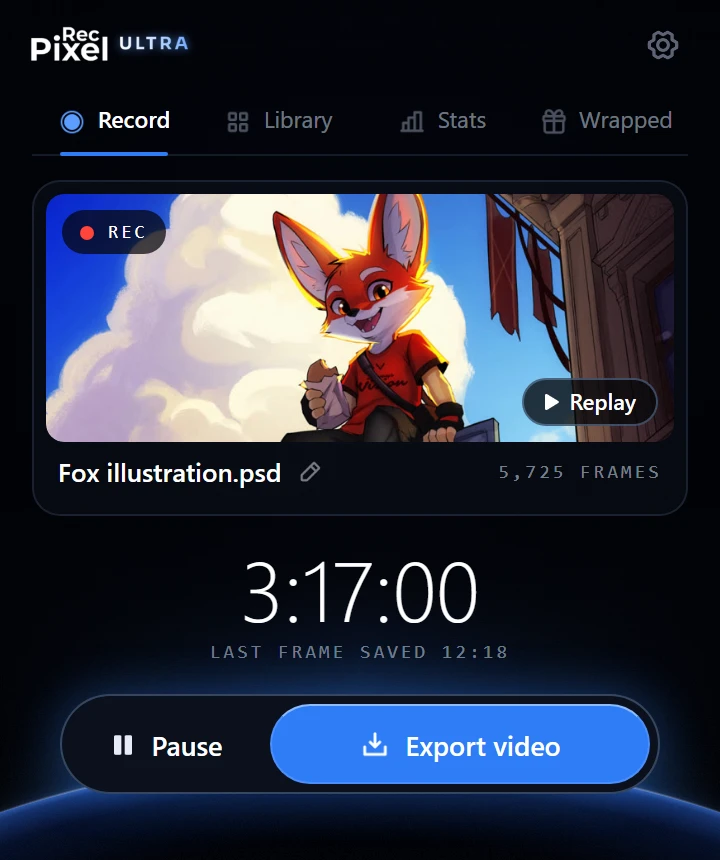
Only your canvas, as a timelapse: use a Photoshop plugin like PixelRec.
Which way should you use?
| Way | Works on | What it records | Best for |
|---|---|---|---|
| Xbox Game Bar | Windows 10 and 11 | The Photoshop window | Quick clips |
| Snipping Tool | Windows 11 | An area you choose | Short clips of one part |
| Screenshot toolbar | Mac | The whole screen or an area | Quick clips |
| OBS Studio | Windows and Mac | Any window or area, plus mic and webcam | Tutorials, streams, long sessions |
| PixelRec Ultra | Windows and Mac | Only your canvas, one frame per change | Timelapses and speedpaints |
Windows: the Xbox Game Bar
It is already on most Windows computers, and it is free.
- Open Photoshop and click inside its window.
- Press Win + Alt + R. A small timer shows that it is recording.
- Paint. Press Win + Alt + R again to stop.
- Find the video in Videos > Captures.
The Game Bar has a time limit for one recording. Check it, and the video quality, in Settings > Gaming > Captures.
Windows 11: the Snipping Tool
- Open the Snipping Tool and switch to Record (the video camera icon).
- Click New and drag a box around the part of the screen you want, for example your canvas.
- Begin the recording. When you are done, stop it and save the video.
Mac: the screenshot toolbar
- Press Shift + Command + 5.
- Choose Record Entire Screen, or Record Selected Portion and drag a box around your canvas.
- Click Record.
- To stop, click the stop button in the menu bar, or press Command + Control + Esc. The video is saved on your desktop.
Windows and Mac: OBS Studio
OBS Studio is free and is made for long recordings and streams. It can add your microphone and webcam.
- Download OBS Studio from obsproject.com and open it.
- In the Sources box, click + and add Window Capture (on a Mac, macOS Screen Capture). Pick the Photoshop window.
- To show only the canvas, hold Alt (Option on a Mac) and drag the edges of the red box to crop it.
- In Settings > Output, choose where the videos are saved.
- Use the recording button in the Controls box to begin, and again to stop.
More about this way: PixelRec vs OBS for Photoshop.
From a screen recording to a timelapse
A screen recording plays in real time. A 3-hour painting is a 3-hour video. To make a timelapse or speedpaint, open the video in a video editor and speed it up, for example 60× or more. The timelapse calculator tells you the speed you need for the length you want.
Also remember what a screen recorder sees: your menus, your cursor, pop-ups and other windows. When you zoom or move the canvas, the picture in the video moves too. That is good for a tutorial, but it makes a speedpaint messy.
Only want your painting? Record the canvas
PixelRec Ultra is a Photoshop plugin that records inside Photoshop, by itself. It saves a frame each time your canvas changes. So the video shows only your painting: no menus, no cursor, and no breaks. When you are done, it makes the video in the size you need, for Reels, TikTok, a square post or YouTube, up to 4K.
Read the full guide: how to record a timelapse in Photoshop.
Did you mean recording an Action?
In Photoshop, "record" can also mean an Action: a list of steps that Photoshop can repeat for you. That is not a video. To record one, open Window > Actions, click Create new action (the + button), give it a name and click Record. Do your steps, then click the square Stop button in the Actions panel.