 A PixelRec Product
Less flatting. More creating.
Turn your line art into clean, editable flat colors in a few clicks — right inside Photoshop.
See how it works Mac support
 Windows support
See Flatte work.
Set your ink layer, then hit Create flats. Every button in this panel works — try it.
Try it: click Set on the ink layer, then Create flats. Change Close gaps or Small details, then open Repair to join, split, recolor and protect areas. Click any color on the canvas to select it.
Interactive preview. The real plugin runs inside Photoshop.
Three steps to flats.
From line art to flat colors in three simple steps.
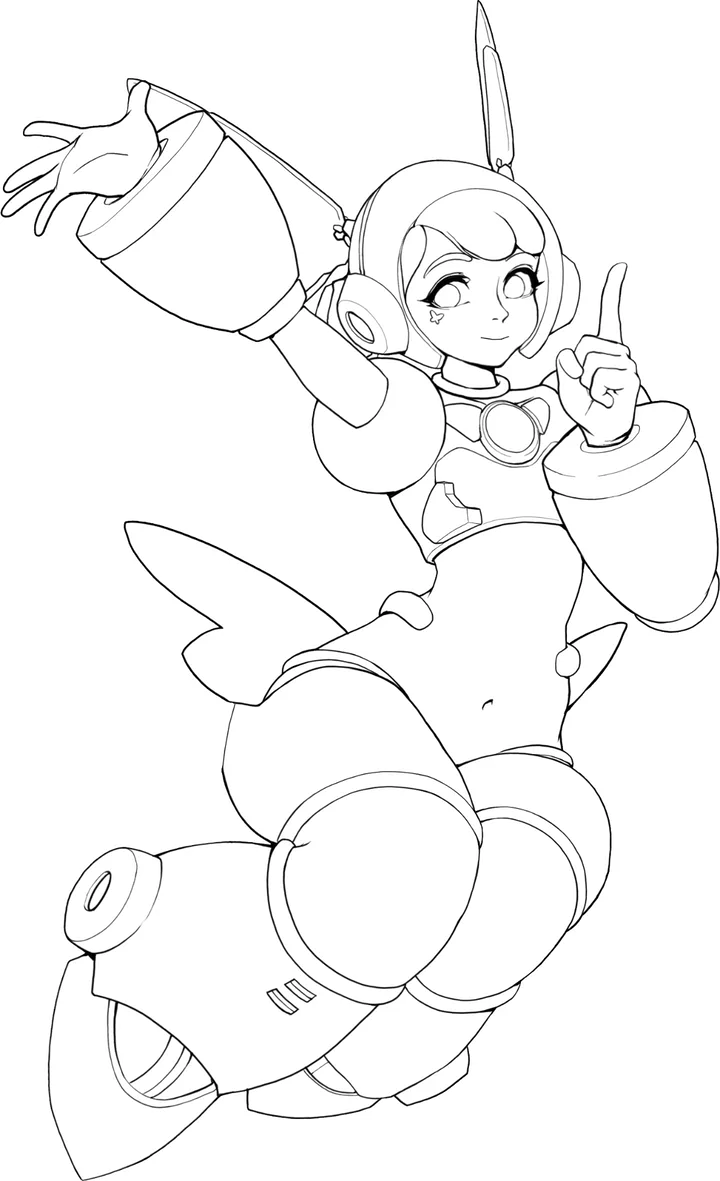
1. Select your line art
Your line art is never changed.
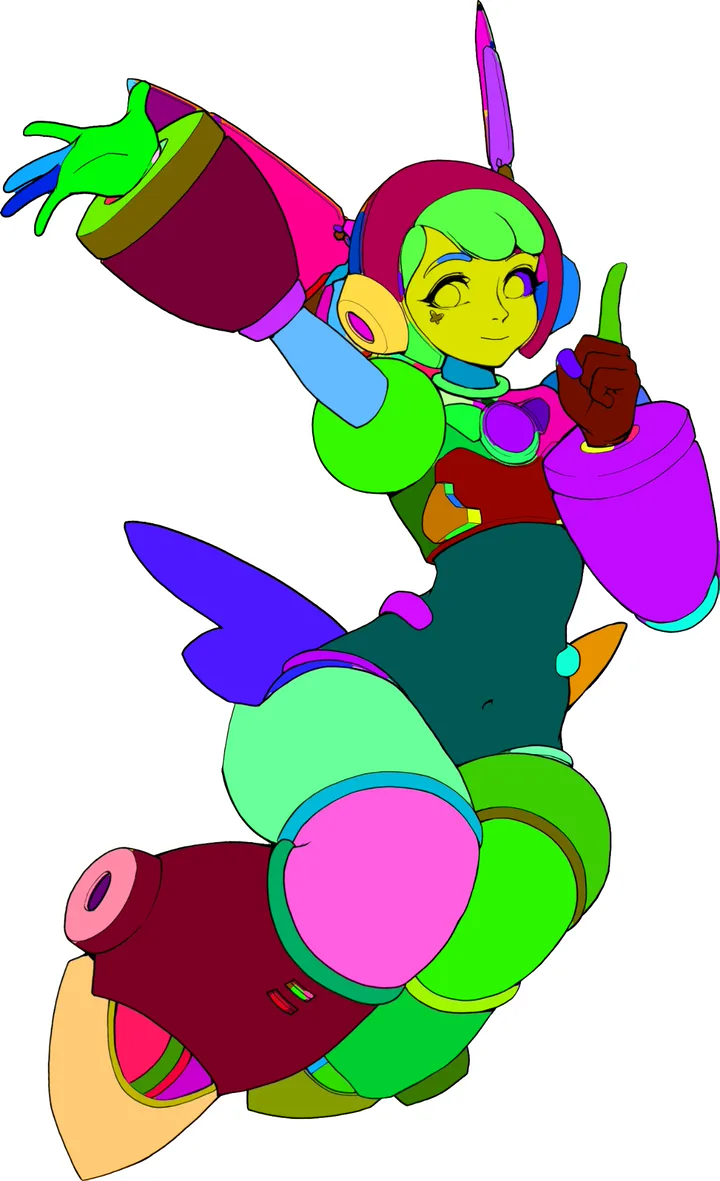
2. Create flat colors
Every area gets its own color.
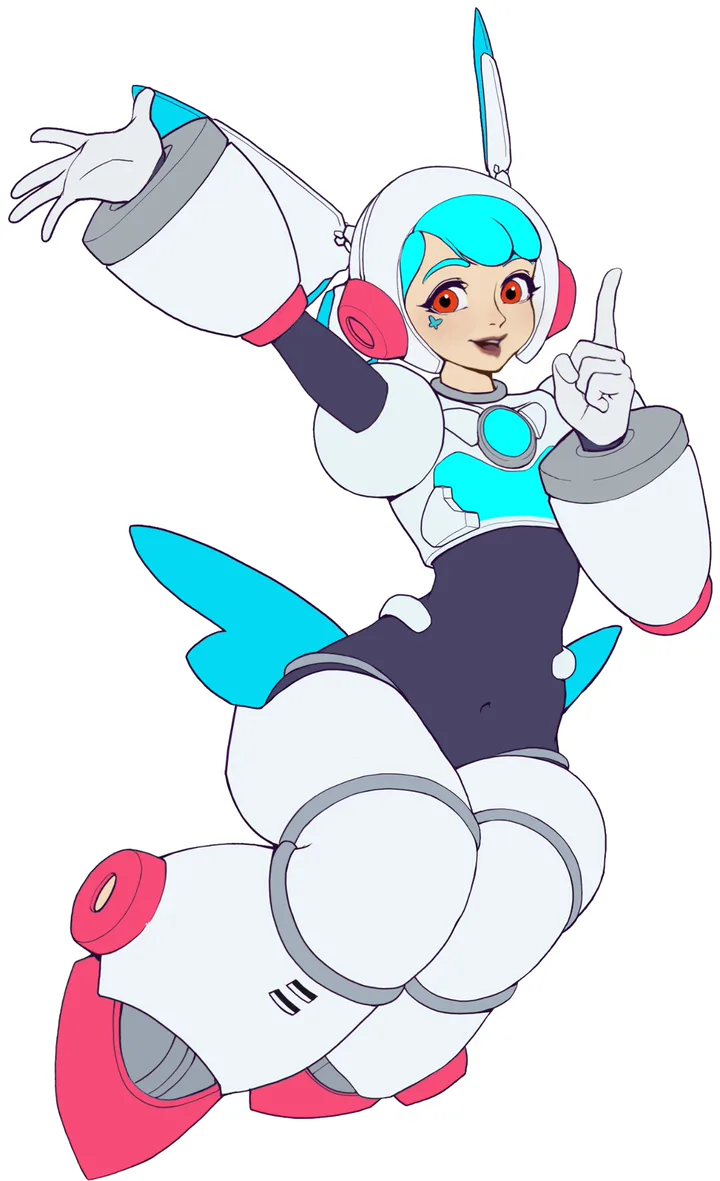
3. Fix and recolor
Fix areas and try new colors in one click.
From inks to color.
Three focused tools that take a page from line art to finished flats — without leaving Photoshop.
Turn your line art into flats
Create a flat-color foundation for your comic, directly inside Photoshop.
- ✓ Generate flats from your selected ink layer
- ✓ Work on a whole page or a selected area
- ✓ Keep your original line art untouched
Bring your reference colors to life
Generate a color palette from your reference image to guide your coloring.
- ✓ Extract colors from your reference
- ✓ Build a palette inspired by your artwork
- ✓ Keep your colors consistent across your page
Refine every region
Fix your flats with focused tools that keep you in control.
- ✓ Join fragments that belong together
- ✓ Split connected areas with drawn guides
- ✓ Preview repairs before applying them
Your art stays your art.
Flatte doesn't generate images or use generative AI. It only fills the areas inside your own line art.
Why Flatte?
Flatting by hand takes hours. Flatte does the slow part, so you can start coloring sooner.
Without Flatte
Select. Fill. Find the gap. Fill again. Do it for every area, on every page.
With Flatte
Select your line art and click Create flats. Then fix only the few areas that need it.
- No AIFlatte never makes art. It only fills your line art.
- No uploadsYour artwork never leaves your computer.
- Line art stays safeYour line art layer is never changed.
- Works inside PhotoshopNo extra app. No export step.
- Editable resultsEvery area is a flat color you can change.
- Built for artistsMade for comic and illustration flatting.
One-time purchase. No subscription.
Pay once and keep Flatte. Free updates are included.
Turn your line art into color flats. Fix tricky areas without starting over.
- ✓ Create flats from your ink layer
- ✓ Close small gaps that cause color leaks
- ✓ Join or split areas when the flats need fixing
- ✓ Pick colors from a reference image
- ✓ Recolor areas and try new color ideas
- ✓ Protect finished areas while you work on others
- ✓ Keep working in your Photoshop file
Pay once. No subscription, no yearly renewal.
See Flatte in actionGood to know.
Spend more time on the colors that matter.
Stop spending hours on flatting. Get Flatte for $25 while the launch price lasts.
A PixelRec product · Works with Adobe Photoshop