The sizes you need
Most platforms show video in one of four shapes. If you use the right shape, your painting fills the screen and nothing is cut off.
| Where you post | Shape | Size in pixels |
|---|---|---|
| Instagram Reels, TikTok, YouTube Shorts | 9:16, tall | 1080 × 1920 |
| Instagram and Facebook posts | 4:5, a little tall | 1080 × 1350 |
| Square posts, many platforms | 1:1 | 1080 × 1080 |
| YouTube videos, portfolio | 16:9, wide | 1920 × 1080 (or 3840 × 2160 for 4K) |
Your painting is often not the same shape as the video. A tall portrait painting fits Reels well, but in a wide YouTube video it has empty space at the sides. That is normal. Pick a background color that looks good with your art.
How long should the video be?
There is no perfect length, but these are good places to start:
- 15 seconds for a quick Reel or TikTok. Show the most exciting part.
- 30 to 60 seconds for the full process, from sketch to final.
- Full length for YouTube, when people want to watch every step.
Not sure what speed you need? Use our free timelapse length calculator.
5 simple tips for better process videos
- Cut the slow parts. Long breaks and small fixes make a video feel slow. Remove them before you export.
- Slow down the ending. People want to see the final picture. Let the last strokes play slower so it stays on screen.
- Keep the art away from the edges. On Reels and TikTok, buttons and text cover the bottom and the right side of the video. Keep the important part of your painting in the middle.
- Use the final picture as the cover. Many artists choose the finished painting as the cover image, so people know what they will see.
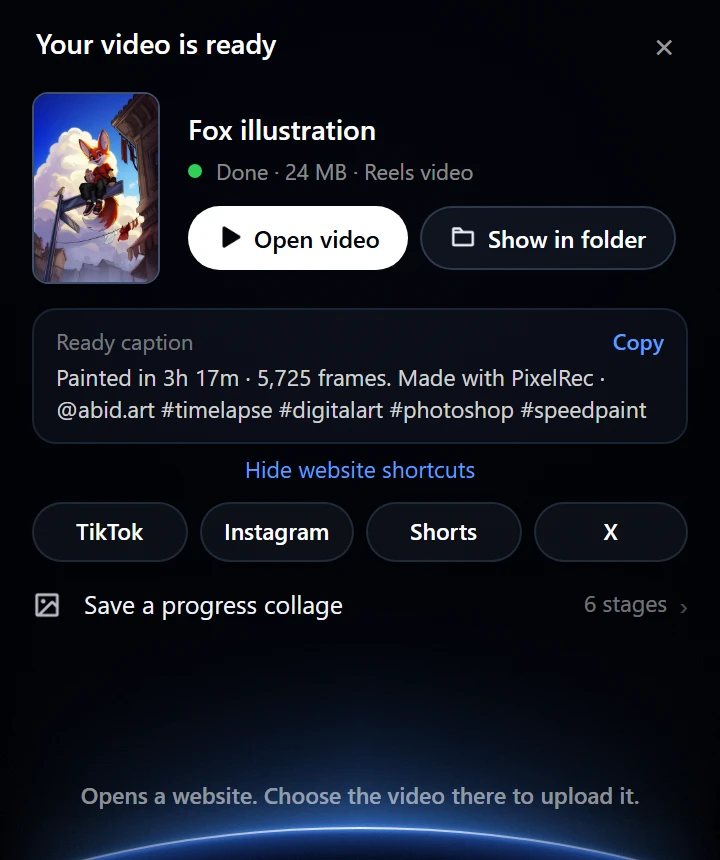
- Write a short caption. Say how long you painted and which tools you used. People like to know.
The slow way: one size at a time
With a normal screen recording, you make each size by hand. You open the recording in a video editor, crop it to 9:16, export it, then start again for 4:5, 1:1 and 16:9. For four sizes, that is four exports, and the screen recording also shows your menus and panels, so you crop those out too.
The fast way: all sizes in one export
PixelRec Ultra records only your canvas while you paint. When you are done, it makes every size in one export:
- Paint in Photoshop like normal. Ultra records by itself.
- Click Export video. Choose your main shape, for example Reels.
- Under Also make, tick the other sizes: Post, Square or YouTube.
- Choose the length, 15, 30 or 60 seconds or full length, and click Export.
Ultra saves all the videos in one folder, with clear names like My painting - Square.mp4. Then it shows a caption you can copy, with your painting time.
Want only the best moment? Open the Replay window, click Suggest 15 s, and Ultra picks the busiest 15 seconds of your painting for a short Reel.