What Is Flatting in Comics?
Flatting is the coloring step where inked line art is separated into flat, solid regions of color — one color per shape, no shading yet. Those flats become the foundation every colorist builds on. Here's what flatting means, why it exists, and how it fits into the coloring pipeline.
Flatting, in one sentence.
Flatting is the process of filling every closed region of a drawing with its own flat, solid color — skin, hair, each garment, the background — so the whole page is broken into clean, separated color areas. There's no rendering or shading at this stage; flats are purely a base. The value is that each region is now a reliable selection you can color into without bleeding.
- ✓One flat color per region, fully opaque.
- ✓Every shape is fully separated from its neighbors.
- ✓Flats sit under the line art, never touching the inks.
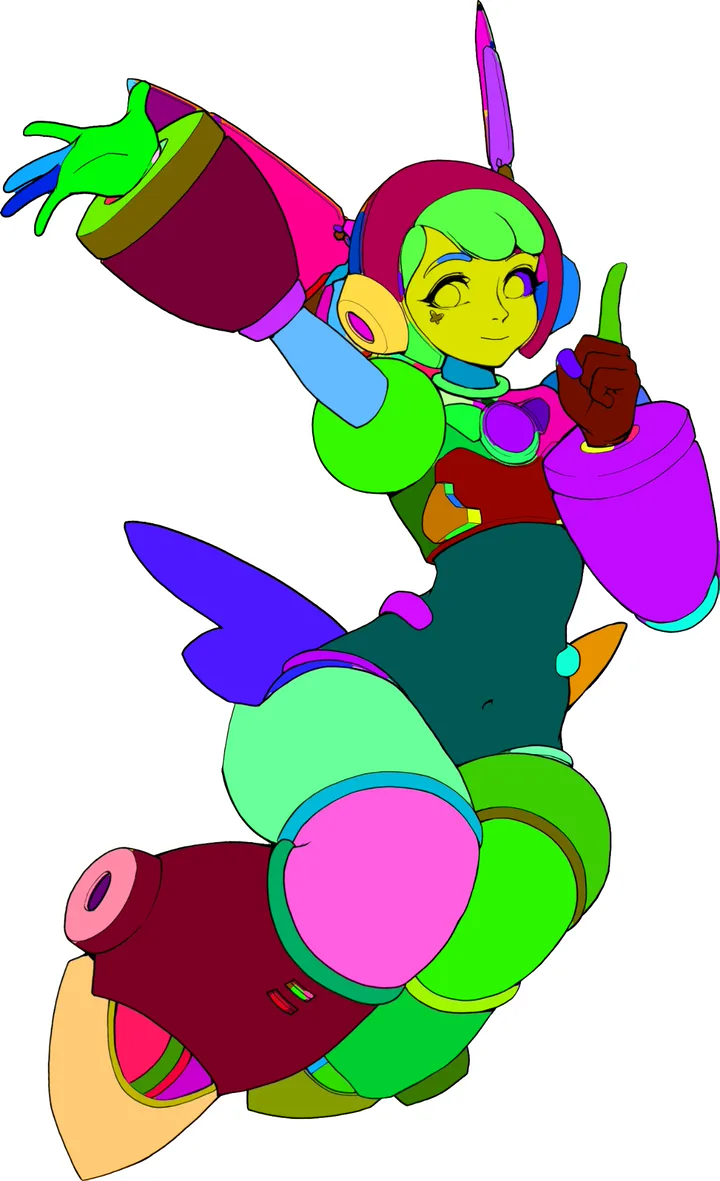
Why colorists flat before they render.
Rendering — light, shadow, depth — is far easier when every shape is already a selection. Load a flat region, and any shading you paint stays perfectly inside it. Without flats, you'd be masking each area by hand every time you pick up a new brush. Flatting front-loads that work once so the rest of coloring flows.
The core idea: flats trade a bit of setup for a lot of speed. Clean, separated regions turn the whole page into ready-made selections for shading, gradients, and texture.
It's also why flatting is often the first paid job new colorists take: it's a well-defined, high-impact step that makes a whole studio's coloring faster.
Where flatting sits in the pipeline.
- ✓Inking — clean line art on its own layer.
- ✓Flatting — separate the inks into flat color regions.
- ✓Rendering — add light, shadow, and depth on top of the flats.
- ✓Effects — glows, textures, and final grade to finish.
Flatting by hand is slow.
Done manually, flatting a detailed page can mean hundreds of selections and a lot of gap-chasing where color leaks through breaks in the linework. It's necessary work, but it's repetitive — which is exactly the kind of task a dedicated tool can take over.
Flatting questions.
Skip the Busywork,
Keep the Craft.
Flatte turns your inks into clean, separated flat colors inside Photoshop, then hands you focused Repair tools for the tricky bits. A fast workflow tool — not an AI generator — so every color is still yours.